

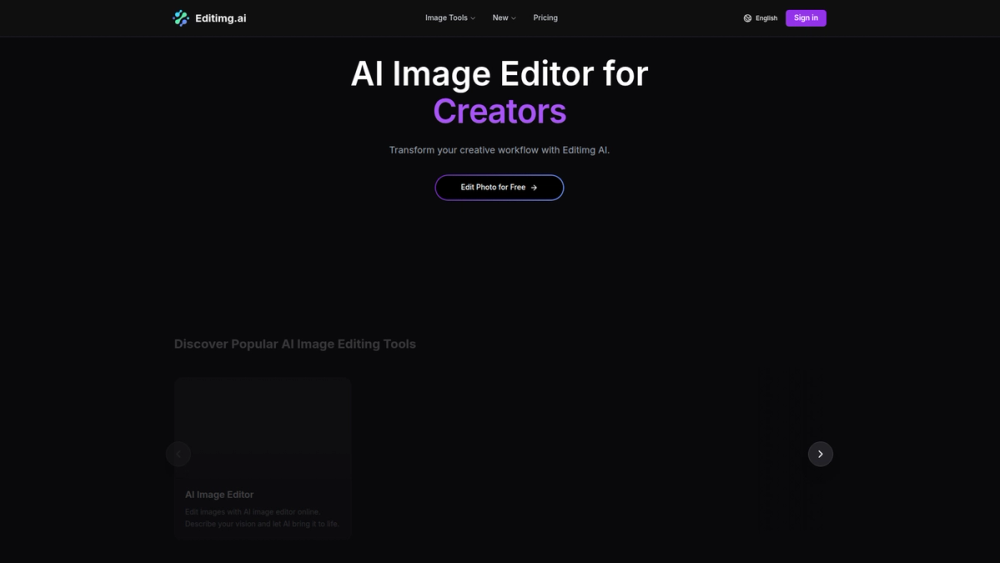
Editimg AI is a powerful and versatile online image editor that leverages artificial intelligence to provide a comprehensive suite of tools for transforming, enhancing, and generating images. Designed for both casual users and professionals, it simplifies complex editing tasks, making high-quality image manipulation accessible to everyone without the need for expensive software or technical expertise. Whether you're looking to remove unwanted objects, change backgrounds, upscale low-resolution photos, or apply creative AI-powered effects, Editimg AI offers a one-stop solution.
The platform's value lies in its combination of an intuitive user interface with advanced AI capabilities. This allows users like social media managers, marketers, photographers, and content creators to streamline their workflow and produce stunning visuals in a fraction of the time. From basic color correction to generating entirely new images from text prompts or applying fun filters like the Zootopia 2 effect, Editimg AI empowers users to unlock their creativity and bring their visual ideas to life with ease and precision.
Features
- AI Image Editing Suite: Perform a wide range of edits including object removal, text removal, background changes, and watermark removal with AI precision. The tools intelligently analyze the image to fill in removed areas seamlessly.
- Image Upscaling & Enhancement: Improve the quality and resolution of your photos with the AI Image Upscaler. It can increase image size without losing detail, while the AI Color Correction tool automatically adjusts colors for a more vibrant and balanced look.
- Creative AI Effects & Filters: Transform your photos with a vast library of AI-powered effects. This includes converting sketches to photos, applying artistic styles with AI Style Transfer, generating pixel art, and trying on virtual hairstyles or aging effects.
- AI Image Generation: Create unique images from scratch using text prompts. The AI Image Generator can produce high-quality visuals for any concept, from realistic scenes to abstract art, providing a powerful tool for content creation.
- Background Manipulation: Easily remove or change the background of any image. The Background Remover tool isolates the subject with high accuracy, allowing you to place it on a new background or make the current one transparent.
- Generative Fill & Extend: Expand the canvas of your images with the AI Image Extender. The AI intelligently generates new content that matches the existing style and context of the photo, perfect for changing aspect ratios or creating wider shots.
- AI Mockup Generator: Create professional product mockups without a physical photoshoot. Simply upload your design, and the AI will place it realistically on various products like t-shirts, mugs, and phone cases.
How to Use
- Upload Your Image: Go to the Editimg AI website and click on the specific tool you want to use. Upload your photo from your device by dragging and dropping it or selecting it from your files.
- Select a Tool: Choose from the extensive menu of AI tools. For editing, you might select 'Object Remover' or 'Background Changer'. For creative effects, you could pick 'AI Style Transfer' or 'Pixel Art Generator'.
- Apply the AI Edit: Follow the on-screen instructions for the selected tool. For object removal, you would brush over the item you want to erase. For a filter, you simply select the desired style. The AI will process the image automatically.
- Refine and Adjust (Optional): Many tools offer options to fine-tune the results. You might adjust the intensity of an effect or the precision of a selection. Experiment with different settings to achieve the perfect look.
- Preview the Result: The platform will show you a preview of the edited image, often with a before-and-after comparison.
- Download Your Image: Once you are satisfied with the result, click the 'Download' button to save the high-quality, edited image to your device.
Use Cases
- Social Media Content Creation: Marketers and influencers can quickly create eye-catching posts. Use the Background Changer to create consistent branding, the AI Image Generator for unique post visuals, and creative filters for seasonal content.
- E-commerce Product Photography: Online sellers can enhance their product images without a professional studio. Use the Background Remover to create clean, white backgrounds, the AI Mockup Generator to showcase designs, and the Color Correction tool to make items look more appealing.
- Personal Photo Enhancement: Individuals can restore and improve their personal photos. Use the AI Image Upscaler to enhance old, low-resolution family pictures, the Object Remover to clean up distracting elements in travel photos, and fun effects like AI Age Progression for creative projects.
- Graphic Design & Marketing: Designers can speed up their workflow by using AI tools for initial concepts and edits. The AI Image Extender can adapt images for different banner sizes, and the Text Remover can clean up images to be repurposed for new campaigns.
FAQ
Is Editimg AI free to use?
Yes, Editimg AI offers a range of free tools with certain limitations. For unlimited access, higher processing priority, and access to all premium features, you can subscribe to one of their paid plans.
What kind of images can I upload?
You can upload common image formats such as JPG, PNG, and WEBP. The platform is designed to work with a wide variety of photos, from portraits and landscapes to product images and graphics.
How does the AI Object Remover work?
The AI Object Remover uses advanced algorithms to identify the object you select. It then intelligently reconstructs the area behind the object by analyzing the surrounding pixels, making it look as if the object was never there.
Can I use the images I create for commercial purposes?
Yes, images you edit or generate using Editimg AI can typically be used for commercial purposes, especially with a paid subscription. However, it's always recommended to review the platform's terms of service for specific details on image rights and usage.
Is my data and are my uploaded images safe?
Editimg AI generally prioritizes user privacy. Uploaded images are processed on their servers to apply the AI effects and are typically not stored long-term or used for any other purpose. Refer to their privacy policy for detailed information.
What is the maximum resolution for the AI Image Upscaler?
The AI Image Upscaler can significantly increase the resolution of your images, often up to 4x or even higher, depending on the original image quality and your subscription plan. This is perfect for preparing images for high-quality prints.
Do I need to install any software?
No, Editimg AI is a fully web-based tool. All features are accessible directly through your web browser on any device with an internet connection, eliminating the need for any downloads or installations.



