

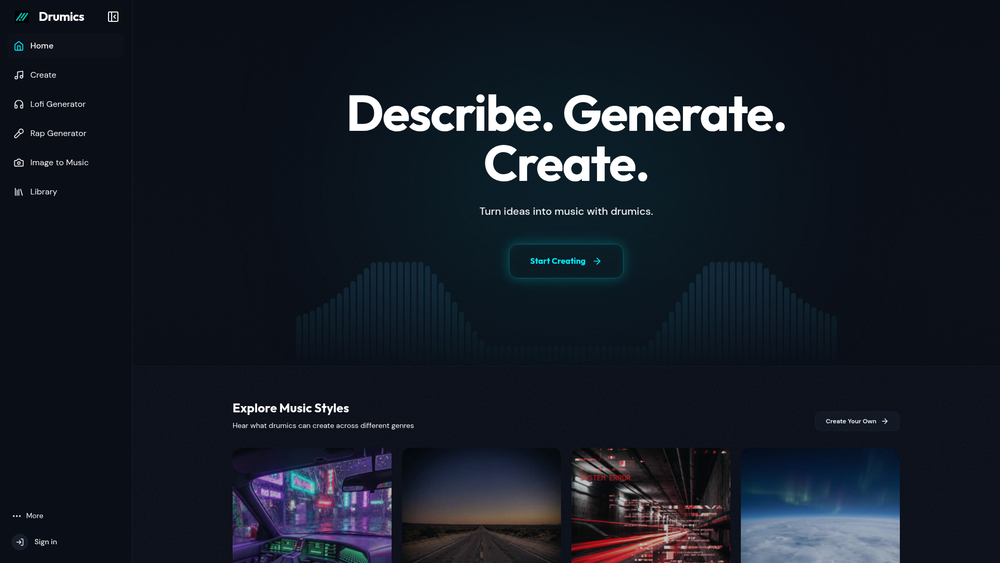
Drumics is an AI-powered music generation platform designed to bridge the gap between artificial intelligence and natural human rhythm. Unlike many generative tools that produce mechanical or flat-sounding loops, Drumics focuses on creating tracks with organic grooves and studio-quality production values. It caters to creators who need high-quality background music without the complexity of traditional digital audio workstations.
The platform allows users to transform text descriptions or images into fully realized musical compositions. By leveraging advanced algorithms, it handles the technical aspects of mixing and mastering, ensuring that the output is balanced and ready for immediate use. Whether you are looking for a specific genre like Synthwave or a niche style like Lo-Fi, the tool provides a streamlined path from concept to audio file.
Key Features
- Natural Rhythm Engine: Employs algorithms that mimic human timing and groove, avoiding the robotic feel common in AI music.
- Prompt-to-Music: Generates tracks based on text descriptions, allowing for specific mood and genre targeting.
- Image-to-Music: A unique feature that analyzes visual data to create a corresponding auditory atmosphere.
- Studio-Quality Mixing: Automatically balances frequencies and dynamics so tracks sound polished without manual editing.
- Genre-Specific Generators: Dedicated modules for popular styles including Lofi, Rap, Trap, and Cyberpunk.
- Royalty-Free Licensing: Provides tracks that can be used in commercial projects without worrying about copyright strikes.
- Extensive Style Library: Offers over 100 different musical styles to ensure variety across different projects.
- Instant Export: Allows users to download and integrate tracks into their workflow immediately after generation.
How to Use Drumics
- Navigate to the Drumics website and select a specific generator, such as the Lofi or Rap module, or use the general Create tool.
- Enter a descriptive prompt detailing the mood, instruments, or tempo you envision for your track.
- Alternatively, upload an image to the Image to Music section to let the AI interpret the visual aesthetic musically.
- Preview the generated track to ensure the rhythm and tone align with your project requirements.
- Once satisfied, use the download or library function to save the track for your creative use.
Use Cases
- Content Creation: YouTubers and streamers can generate unique background music that fits their video mood perfectly.
- Social Media Marketing: Marketers can create catchy, high-quality beats for TikTok or Instagram Reels without licensing fees.
- Game Development: Indie developers can quickly prototype soundtracks for different levels or environments using the genre-specific tools.
- Podcasting: Hosts can generate custom intro and outro music that matches the specific theme of their show.
Pricing
Check the official website for pricing.
FAQ
What is Drumics?
Drumics is an AI platform that generates high-quality, natural-sounding music from text prompts or images.
Is Drumics free to use?
The website offers creation tools, but specific pricing tiers or credit systems should be verified on their official pricing page.
Can I use the music for commercial purposes?
Yes, the tracks are designed to be royalty-free, making them suitable for commercial videos and projects.
What styles does it support?
It supports over 100 styles, including Hip-Hop, Synthwave, Ambient, House, and Trap.
How does Image-to-Music work?
The AI analyzes the colors, subjects, and vibe of an uploaded image to generate a matching soundtrack.
Do I need musical knowledge?
No, the tool is designed for creators of all skill levels to produce professional results without music theory knowledge.



