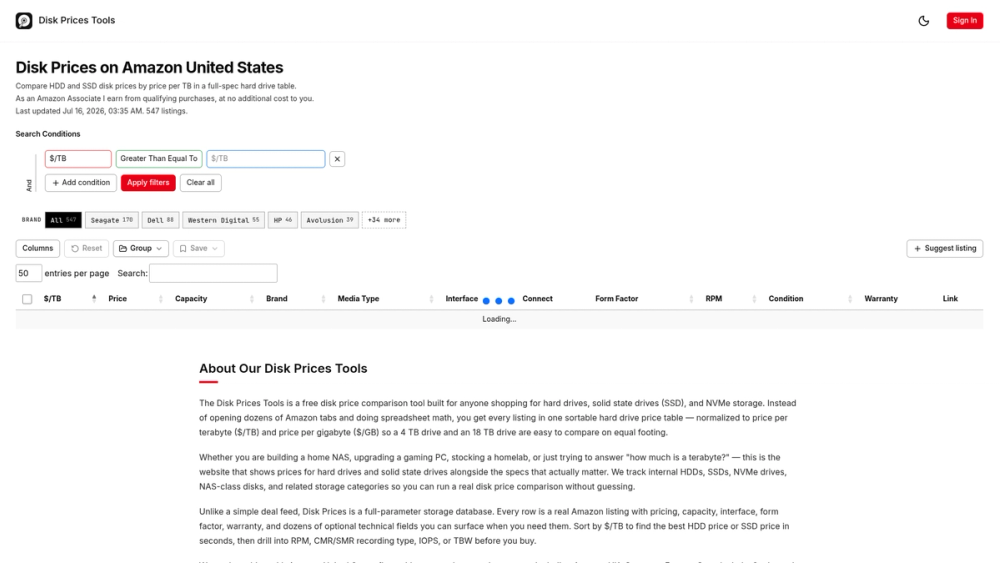
Disk Price Tool is a searchable database for comparing hard drives and solid-state drives across Amazon marketplaces. It pulls data from hundreds of listings and puts them into a single table. People building home servers or upgrading PCs use it to find the best value without manually calculating costs in a spreadsheet.
This site solves the problem of comparing drives with different capacities and technologies. A $200 drive might look expensive, but if it has 20 TB of space, the cost per unit of storage is often lower than a $90 drive. This tool does that math automatically for every listing it finds.
Key Features
- Price per TB and GB calculations for every drive listing
- Over 500 active storage products from Amazon US
- Filters for recording technology such as CMR and SMR
- Technical specs including rotational speed, cache size, and NAND type
- Real-time search that updates the table as you type
- Community-driven data corrections to fix incorrect specs
- Support for various form factors like M.2, 3.5-inch, and 2.5-inch
- Endurance metrics including TBW and MTBF for enterprise users
How to Use
- Open the main table to see all current storage listings.
- Click the $/TB column header to sort by the best storage value.
- Use the sidebar filters to choose between HDD, SSD, or NVMe media.
- Toggle specific columns to see technical details like warranty or RPM.
- Select a drive that fits your budget and specs to view it on Amazon.
Use Cases
- Building a home NAS and needing CMR drives for a RAID array.
- Finding the cheapest NVMe SSD for a gaming laptop upgrade.
- Stocking a homelab with high-capacity enterprise hard drives.
- Checking if a portable drive is actually a good price per gigabyte.
Pricing
The tool is free to use. The owner earns commissions through Amazon affiliate links when you make a purchase.
FAQ
What is Disk Price Tool?
It is a comparison site that tracks storage hardware prices and technical specifications in a single sortable table.
Is Disk Price Tool free?
Yes, the website does not charge users and relies on affiliate commissions from Amazon purchases.
How often is the data updated?
Prices and listings are refreshed multiple times per day to reflect current Amazon stock.
What does $/TB mean?
This is the price per terabyte, which helps you compare the value of different drive sizes on equal footing.
Does it show CMR or SMR?
Yes, the table includes recording types, which is a critical distinction for NAS and server workloads.
Can I use it for Amazon UK?
The site currently focuses on the US but plans to add UK, Germany, and other regions soon.