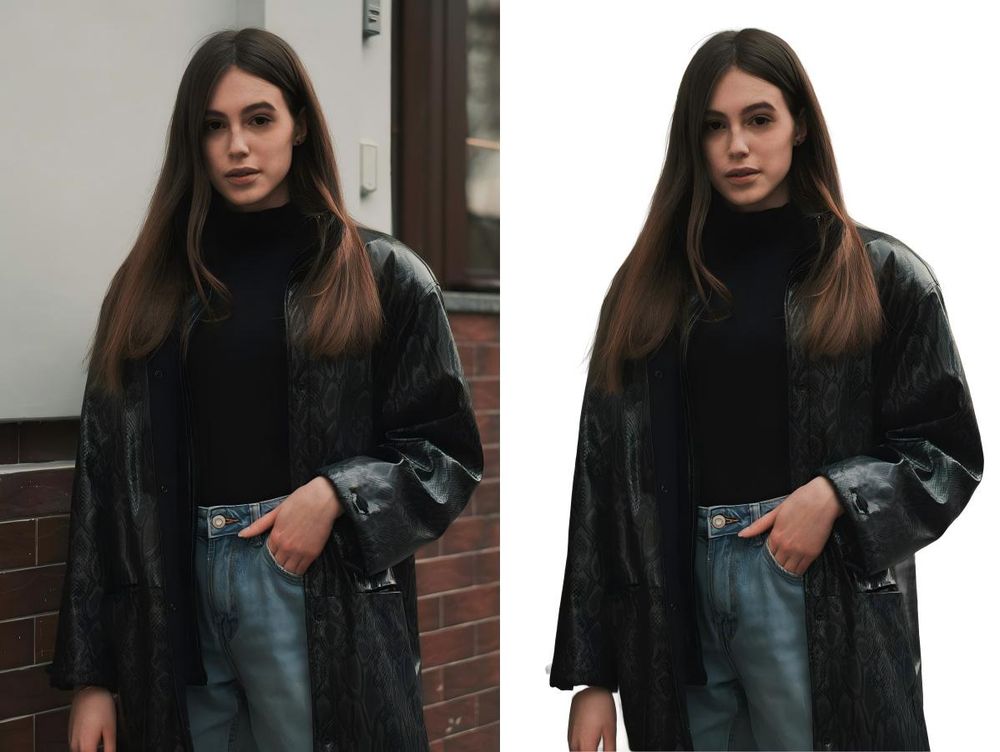
BatchRemover is an online tool that removes backgrounds from photos using AI. It targets e-commerce sellers, designers, and social media managers who need clean cutouts without the typical resolution limits of free tools. Most tools shrink your 4K image to a tiny preview, but this one lets you download the original size for free.
In practice, the tool works directly in the browser. You don't have to create an account or provide an email address to get your files. It handles a variety of subjects including people, products, and complex graphics while maintaining the sharp edges needed for professional work.
Key Features
- Full resolution downloads that match your original upload size
- No watermark or account registration required for single images
- Support for PNG, JPG, and WebP export formats
- Built-in background replacement with solid colors or custom uploads
- Canvas resizing to fit Instagram, Amazon, or Shopify dimensions
- Batch processing for up to 60 images at once in paid tiers
- Precision edge detection that handles hair, fur, and transparent objects
How to Use
- Open the website and drag your image or a folder into the upload box.
- Wait a few seconds for the AI to process the edges and remove the background.
- Use the editor to change the background color or upload a new backdrop if needed.
- Adjust the canvas size if you are preparing the image for a specific social platform.
- Select your preferred output format like PNG for transparency or WebP for web speed.
- Click the download button to save the full-resolution file to your device.
Use Cases
- Preparing product photos for Amazon listings with a pure white background and specific dimensions.
- Creating headshots for LinkedIn by replacing a busy office background with a professional solid color.
- Processing a folder of 50 product shots at once to save time on manual editing tasks.
- Converting background-removed images into WebP format to improve website loading times.
Pricing
Single image removals are free with no resolution limits. Batch processing requires credits, which start around $0.04 per image in larger packs. New users typically get 20 free credits to test the bulk removal features.
FAQ
What is BatchRemover?
It is an AI-powered tool that automatically detects the subject of a photo and removes the background.
Is BatchRemover free?
Yes, single images are free with no watermarks or resolution caps. You only pay if you want to process many images at once.
Do I need an account?
No, you can use the basic features and download your images without signing up or logging in.
Does it support batch uploads?
Yes, you can upload multiple images or entire folders, though this feature requires a paid credit pack.
What file types work?
You can upload JPG, PNG, and WebP files and export them in any of those three formats.
Is my data safe?
Images are processed securely and deleted from the servers shortly after processing is complete.