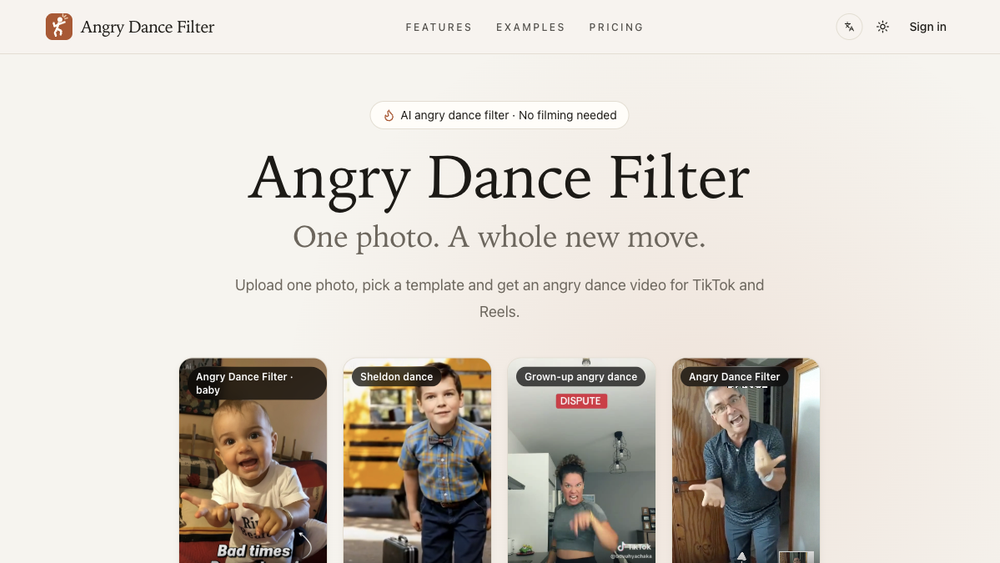
Angry Dance Filter turns a photo into an AI dance video in the browser. Users upload a clear JPG or PNG photo, choose a dance template, select the available quality and length settings, and submit a video generation request after signing in. Templates shown on the website include the original Angry Dance Filter, Sheldon dance, and a grown-up angry dance. The site includes example clips so visitors can compare movements before choosing a template. Finished videos can be downloaded, and signed-in users can find their videos in My Creations. The product is designed for short social videos, including TikTok and Reels. Generation uses credits; the website offers subscriptions and credit packs. Users must have permission to use the photos they upload.
A front-facing, well-lit photo with the face and upper body visible is recommended. Some templates work best with a full-body photo, while the grown-up template supports a waist-up composition. The upload interface accepts JPG and PNG files up to 10 MB. Each template includes a preview and a short description of the movement, helping users select an effect that fits their input photo. The generator shows the credit cost before a request is sent.
The website provides English and Simplified Chinese interfaces. Visitors can browse examples and instructions before signing in. The main workflow avoids filming a dance or editing a timeline: the user supplies the photo, chooses a preset movement, generates the clip, and downloads the result. Generation requires an account and sufficient credits. Outputs vary with the photo and selected template; the service does not promise an identical result for every input. The canonical product website is https://angrydance.video/.