

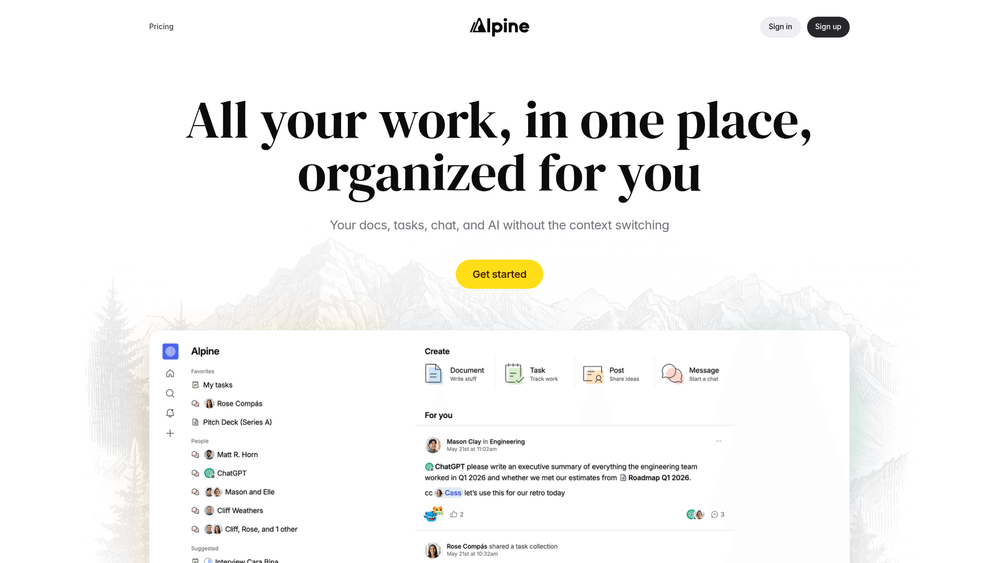
Alpine is a unified productivity hub designed to solve the fragmentation problem inherent in modern work environments. By consolidating documentation, task management, real-time chat, and AI-driven insights into a single interface, it aims to eliminate the mental tax of context switching. Instead of bouncing between Slack, Notion, and Jira, teams can maintain a continuous flow of information within a centralized ecosystem.
That said, it isn't just about putting everything in one window; it’s about how these components interact. When your AI assistant can reference a chat from three days ago to help you draft a document today, the utility of a unified workspace becomes clear. In practice, this means fewer lost tasks and a much shorter path from idea to execution.
Key Features
- Personalized Feed: A "for you" style stream that surfaces relevant updates from people and projects, reducing the need to monitor every single channel.
- Unified Search: A deep search engine that uses LLMs and relevance ranking to find content across docs, tasks, and chats simultaneously.
- Integrated AI Assistant: Built-in AI coworkers that have full context of your workspace's data to assist with drafting or summarizing.
- Contextual Chat: Real-time communication directly linked to specific documents or tasks, keeping discussions where the work happens.
- Task Management: Native task tracking that integrates seamlessly with documentation, ensuring action items aren't lost in threads.
- Collaborative Docs: A full-featured editor for creating and organizing knowledge without the need for complex folder hierarchies.
- Smart Inbox: A prioritized notification center designed to filter out noise and highlight high-signal updates.
- Forum View: A structured way to handle long-form discussions and persistent knowledge sharing.
How to Use Alpine
- Create your workspace and invite team members to begin centralizing your communication.
- Import or create your first set of Docs to establish a knowledge base for your projects.
- Set up Tasks within specific project channels to begin tracking progress alongside your documentation.
- Use the "For You" feed to stay updated on high-priority changes without manually checking every folder.
- Invoke the AI assistant using the shortcut or sidebar to summarize long threads or draft new content based on existing docs.
Use Cases
- Product Management: Keep PRDs, sprint tasks, and stakeholder feedback in one place to ensure alignment.
- Remote Engineering Teams: Use the Forum and Chat features to balance asynchronous updates with real-time troubleshooting.
- Content Strategy: Draft articles in Docs while managing the editorial calendar in Tasks and discussing edits in the sidebar.
- Onboarding: Create a centralized hub for new hires to find all necessary documentation and ask questions via AI search.
Pricing
Check the official website for pricing information.
FAQ
What is Alpine?
Alpine is a unified workspace that combines documentation, tasks, chat, and AI into a single platform to reduce context switching.
Is Alpine free to use?
Please check the official Alpine website for the most up-to-date information regarding their pricing tiers and free trials.
How does the AI search work?
Unlike traditional keyword matching, Alpine's search uses LLMs to understand the context and relevance of your query across all your work.
Can I replace Slack with Alpine?
Yes, Alpine includes real-time chat, feeds, and forums designed to consolidate team communication and project management.
Does the AI have access to my private docs?
The AI assistant is designed to work within your workspace context, meaning it can reference your internal documents and tasks to provide relevant answers.
What is the "For You" feed?
It is a personalized activity stream that highlights updates from the specific people and projects you interact with most, filtering out irrelevant noise.



