

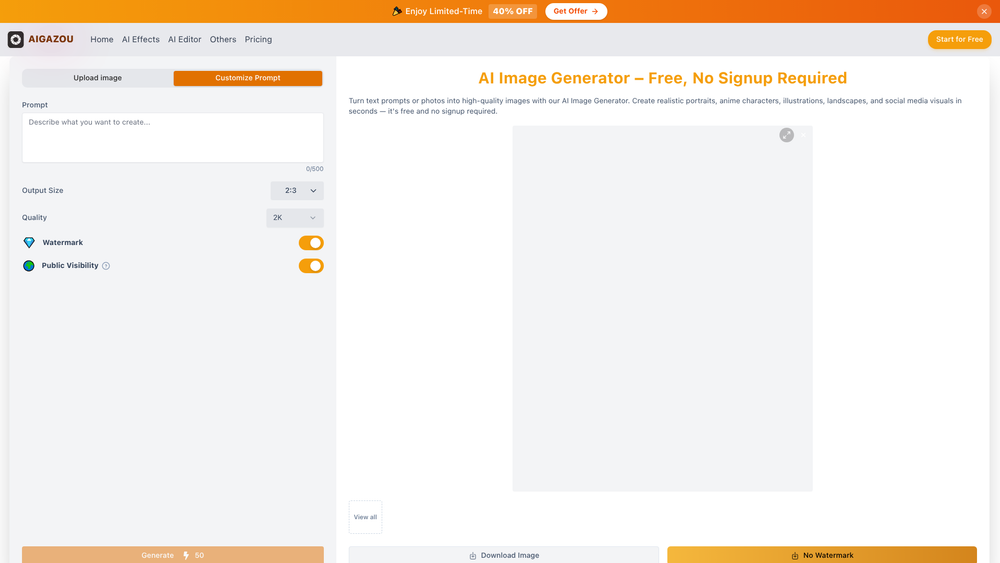
AIGAZOU 1 is a streamlined web-based AI image generator designed for users who want high-quality visual results without the friction of account creation. By leveraging sophisticated models like GPT-4o, SeeDream 4.5, and Nano Banana Pro, it bridges the gap between simple text prompts and complex digital artistry. Whether you are a designer looking for quick mockups or a casual user experimenting with creative ideas, the platform provides a low-barrier entry point into the world of generative AI.
What sets this tool apart is its commitment to accessibility; you can start creating instantly without providing an email address or navigating complex setup menus. The interface focuses on speed and variety, offering a range of styles from cyberpunk to traditional watercolor. In practice, it functions as a versatile creative companion that handles both text-based generation and image-to-image transformations with equal proficiency.
Features
- No-Signup Access: Jump straight into the creative process without the need to create an account or verify an email, making it ideal for quick tasks.
- Multi-Model Architecture: Utilizes a suite of advanced models including GPT-4o, SeeDream 4.5, and Nano Banana Pro to ensure diverse and high-fidelity outputs.
- Image-to-Image Transformation: Upload existing photos to restyle them into different artistic genres while maintaining the original structure and composition.
- Diverse Style Library: Choose from a wide array of presets such as anime, 3D art, cyberpunk, and watercolor to instantly change the mood of your visuals.
- Daily Check-in Rewards: A loyalty system that allows users to unlock additional creative possibilities and features through consistent daily engagement.
- Instant Rendering: Optimized for speed, the platform converts text prompts into finished illustrations and designs in a matter of seconds.
- User-Friendly Workspace: A clean, intuitive interface that removes the steep learning curve usually associated with prompt engineering and AI art tools.
How to Use AIGAZOU 1
- Navigate to the Workspace: Visit the AIGAZOU website and locate the generation area; no login is required to begin.
- Input Your Prompt: Type a descriptive text prompt into the input field, detailing the landscape, character, or concept you want to visualize.
- Upload a Reference (Optional): If you want to use the Image-to-Image feature, upload a base photo to guide the AI's composition.
- Select Your Style: Browse the available artistic styles and select the one that best fits your project's aesthetic, such as 3D or digital art.
- Generate the Image: Click the generation button and wait a few seconds for the AI models to process your request and render the final image.
- Download and Save: Once the image appears, you can save it directly to your device for use in your personal or professional projects.
Use Cases
- Social Media Content: Create unique, eye-catching visuals for posts and profile headers without needing professional photography or editing skills.
- Design Prototyping: Quickly generate conceptual art or mood boards for client presentations to communicate visual ideas before starting manual production.
- Personalized Avatars: Transform your own photos into stylized anime or 3D characters for use in gaming profiles or messaging apps.
- Marketing Materials: Produce high-quality illustrations for blogs, newsletters, and landing pages that require specific, custom imagery.
Pricing
Check the official website for pricing. The tool is free-to-try and offers a daily check-in event to unlock more features.
FAQ
What is AIGAZOU 1?
AIGAZOU 1 is an AI-powered image generation platform that converts text descriptions and existing images into high-quality digital artwork using advanced models.
Is AIGAZOU 1 free to use?
Yes, it is free-to-try and does not require a signup for basic usage, though certain advanced features may be tied to their daily check-in system.
Do I need to be good at writing prompts?
Not necessarily. The tool is designed to be intuitive, though more descriptive prompts generally lead to more specific and accurate results.
Can I use my own photos as a base?
Absolutely. The Image-to-Image feature allows you to upload a photo and apply various artistic styles while keeping the original layout intact.
Which AI models does it use?
It currently utilizes a combination of GPT-4o, SeeDream 4.5, and Nano Banana Pro to provide a wide range of visual styles and high-resolution outputs.
Can I use the generated images for commercial purposes?
Worth noting is that you should check the specific terms of service on the AIGAZOU website regarding the commercial rights of generated content.



